How to Build RAG in C# with Google Gemini API and Semantic Kernel

Indroduction
Large Language Models (LLMs) excel at reasoning, summarization, and synthetic generation. However, in enterprise environments, they suffer from two critical limitations: static knowledge cutoffs and hallucinations. While prompt engineering can nudge an LLM in the right direction, dumping an entire corporate handbook, knowledge base, or prIngestion Phaseoduct catalog into a prompt window is prohibitively expensive, introduces significant latency, and degrades retrieval precision (the classic needle-in-a-haystack problem).
Retrieval-Augmented Generation (RAG) overcomes these barriers by marryIngestion Phaseing high-speed semantic retrieval with generative synthesis.
In this comprehensive guide, we will engineer a complete, working RAG implementation in modern C# (.NET 10) using Google Gemini (gemini-3.8-flash / gemini-embedding-001), the Microsoft Semantic Kernel framework, and the unified Microsoft.Extensions.VectorData abstractions.
What is Retrieval-Augmented Generation (RAG)?
At its core, RAG is a software pattern where an application retrieves relevant context from an external data store based on a user's question, injects that context into a grounded prompt template, and directs the LLM to generate an answer derived exclusively from that retrieved knowledge.
The RAG Lifecycle Architecture
How document ingestion, semantic search, and Gemini generation connect in .NET
Raw documents are chunked and converted into 768-dimensional embeddings via Gemini.
The user query is vectorized and matched against stored chunks using Cosine Similarity.
Retrieved context is injected into a strict prompt template and synthesized by Gemini.
The RAG Triad
- Information Ingestion & Embedding: Text chunks are converted into dense mathematical vectors (embeddings) capturing semantic meaning.
- Similarity Retrieval: The user's query is converted to an embedding and compared against stored vectors using distance metrics (typically Cosine Similarity).
- Augmented Synthesis: The retrieved chunks are provided to the LLM alongside strict instructions that prevent out-of-context hallucinations.
Why C# and Semantic Kernel for Enterprise AI?
Historically, AI experimentation lived in Python Jupyter notebooks. However, enterprise production backends predominantly run on .NET, C#, and Azure.
Microsoft's Semantic Kernel has evolved into a premier enterprise AI SDK for .NET developers. Together with the standardized Microsoft.Extensions.VectorData abstractions, .NET engineers get:
- Strongly-typed Data Models: Annotate business records with
[VectorStoreKey],[VectorStoreData], and[VectorStoreVector]. - Database Agnosticism: Write retrieval logic against
IVectorStore; switch fromInMemoryVectorStoreduring prototyping to Qdrant, pgvector, Milvus, or Azure AI Search in production without rewriting ingestion code. - Unified Connector Ecosystem: First-class support for OpenAI, Azure OpenAI, HuggingFace, and Google Gemini AI.
Architectural Breakdown of the Implementation
1. The Vector Space & Google's 768-Dimensional Embeddings
Google's Gemini embedding models (such as gemini-embedding-001 or text-embedding-004) generate dense vectors containing 768 floating-point numbers for any given text passage.
Unlike traditional keyword search (such as SQL LIKE or basic Elasticsearch token matching), vector embeddings capture conceptual relationships:
- User Query: "How much can I expense for my home monitor setup?"
- Knowledge Base Document: "The company reimburses home office peripherals up to $500 annually."
Notice that the query mentions "monitor", while the policy document uses "peripherals". A keyword search returns zero results. Vector embeddings, however, place "monitor" and "office peripherals" in close geometric proximity in 768-dimensional space, yielding a strong similarity score.
2. The Vector Storage Model
In modern C#, we model our knowledge chunk as a clean POCO decorated with Microsoft.Extensions.VectorData attributes:
public class DocumentChunk
{
    [VectorStoreKey]
    public ulong Id { get; set; }

    [VectorStoreData]
    public string Title { get; set; } = string.Empty;

    [VectorStoreData]
    public string Content { get; set; } = string.Empty;

    [VectorStoreVector(768)]
    public ReadOnlyMemory<float> Vector { get; set; }
}[VectorStoreKey]: Identifies the unique primary key for the vector database index.[VectorStoreData]: Marks properties containing payload data (metadata, text content, titles) to be persisted alongside the vector.[VectorStoreVector(768)]: Defines the embedding property and instructs the vector engine to expect a vector dimension of 768.
Step-by-Step Implementation Guide
Prerequisites
- .NET SDK: .NET 8, .NET 9, or .NET 10 SDK installed.
- Google AI Studio API Key: Obtain a free API key from Google AI Studio.
- IDE: Visual Studio 2022 / 2025, VS Code, or JetBrains Rider.
Step 1: Project Setup & Package Configuration
Initialize a new console application using the .NET CLI:
dotnet new console -n RAGDemo
cd RAGDemo
Install the required Semantic Kernel packages and connectors:
dotnet add package Microsoft.SemanticKernel --version 1.74.0
dotnet add package Microsoft.SemanticKernel.Connectors.Google --version 1.74.0-alpha
dotnet add package Microsoft.SemanticKernel.Connectors.InMemory --version 1.74.0-preview
Your project file (RAGDemo.csproj) will be configured as follows:
<Project Sdk="Microsoft.NET.Sdk">

  <PropertyGroup>
    <OutputType>Exe</OutputType>
    <TargetFramework>net10.0</TargetFramework>
    <ImplicitUsings>enable</ImplicitUsings>
    <Nullable>enable</Nullable>
  </PropertyGroup>

  <ItemGroup>
    <PackageReference Include="Microsoft.SemanticKernel" Version="1.74.0" />
    <PackageReference Include="Microsoft.SemanticKernel.Connectors.Google" Version="1.74.0-alpha" />
    <PackageReference Include="Microsoft.SemanticKernel.Connectors.InMemory" Version="1.74.0-preview" />
  </ItemGroup>

</Project>
Step 2: The Complete C# RAG Source Code
Replace the contents of Program.cs with the following production-ready implementation:
using Microsoft.Extensions.VectorData;
using Microsoft.SemanticKernel.ChatCompletion;
using Microsoft.SemanticKernel.Connectors.Google;
using Microsoft.SemanticKernel.Connectors.InMemory;
using Microsoft.SemanticKernel.Embeddings;

namespace RAGDemo
{
    public class Program
    {
        static async Task Main(string[] args)
        {
            Console.WriteLine("=================================================");
            Console.WriteLine("   VoidGeeks: C# RAG with Google Gemini & SK     ");
            Console.WriteLine("=================================================\n");

            // 1. Secure API Key Retrieval
            string apiKey = Environment.GetEnvironmentVariable("GEMINI_API_KEY")
                ?? throw new InvalidOperationException("Please set the GEMINI_API_KEY environment variable.");

            string chatModelId = "gemini-3.8-flash";
            string embeddingModelId = "gemini-embedding-001";

            // 2. Initialize Gemini Chat & Embedding Services
            var textEmbeddingService = new GoogleAITextEmbeddingGenerationService(embeddingModelId, apiKey);
            var chatCompletionService = new GoogleAIGeminiChatCompletionService(chatModelId, apiKey);

            // 3. Initialize In-Memory Vector Store for Documents
            var vectorStore = new InMemoryVectorStore();
            var collection = vectorStore.GetCollection<ulong, DocumentChunk>("gemini-rag-docs");
            await collection.EnsureCollectionExistsAsync();

            // 4. Ingest sample documents into the vector store
            var documents = new[]
            {
                new DocumentChunk
                {
                    Id = 1,
                    Title = "Remote Work Policy",
                    Content = "Employees are allowed up to 3 days of remote work per week. Requests must be approved by the department manager."
                },
                new DocumentChunk
                {
                    Id = 2,
                    Title = "Equipment Reimbursement",
                    Content = "The company reimburses home office peripherals up to $500 annually. Receipts must be submitted by December 15."
                },
                new DocumentChunk
                {
                    Id = 3,
                    Title = "Wellness Program",
                    Content = "All full-time staff receive a complimentary gym pass or a $60 monthly fitness allowance via the benefits portal."
                }
            };

            Console.WriteLine("[Step 1] Ingesting documents and generating Gemini embeddings...");
            foreach (var doc in documents)
            {
                // Generate 768-dimensional embedding from Gemini
                doc.Vector = await textEmbeddingService.GenerateEmbeddingAsync(doc.Content);
                await collection.UpsertAsync(doc);
                Console.WriteLine($" -> Indexed Document #{doc.Id}: \"{doc.Title}\"");
            }

            // 5. Query Vector Search
            string userQuery = "How much can I expense for my home monitor setup, and what is the deadline?";
            Console.WriteLine($"\n[Step 2] Executing User Query: \"{userQuery}\"");

            // Generate embedding for user question
            var queryVector = await textEmbeddingService.GenerateEmbeddingAsync(userQuery);

            // Perform Cosine Similarity vector search for top-1 closest document
            var searchResults = collection.SearchAsync(queryVector, top: 1);

            string retrievedContext = string.Empty;
            await foreach (var record in searchResults)
            {
                retrievedContext += record.Record.Content + "\n";
                Console.WriteLine($"\n[Step 3] Retrieved Relevant Chunk:");
                Console.WriteLine($"   Document ID   : {record.Record.Id}");
                Console.WriteLine($"   Document Title: {record.Record.Title}");
                Console.WriteLine($"   Similarity    : {record.Score:F4}");
                Console.WriteLine($"   Excerpt       : \"{record.Record.Content}\"");
            }

            // 6. Augment Prompt with Grounded Context
            var chatHistory = new ChatHistory();
            chatHistory.AddSystemMessage("""
                You are an internal enterprise assistant.
                Answer the user question strictly using the provided context.
                If the answer cannot be deduced directly from the context, state clearly that you do not know.
                Do not speculate or extrapolate beyond the provided text.
                """);

            chatHistory.AddUserMessage($"""
                Context:
                {retrievedContext}

                Question:
                {userQuery}
                """);

            // 7. Grounded Generation with Gemini
            Console.WriteLine("\n[Step 4] Querying Gemini Chat Completion...");
            var response = await chatCompletionService.GetChatMessageContentAsync(chatHistory);

            Console.WriteLine("\n================= GEMINI RESPONSE =================");
            Console.WriteLine(response.Content);
            Console.WriteLine("===================================================\n");
        }
    }

    // Knowledge Chunk Model with Microsoft.Extensions.VectorData attributes
    public class DocumentChunk
    {
        [VectorStoreKey]
        public ulong Id { get; set; }

        [VectorStoreData]
        public string Title { get; set; } = string.Empty;

        [VectorStoreData]
        public string Content { get; set; } = string.Empty;

        [VectorStoreVector(768)]
        public ReadOnlyMemory<float> Vector { get; set; }
    }
}
Execution Walkthrough & Output Analysis
Set your API key as an environment variable and run the application:
export GEMINI_API_KEY="your-gemini-api-key"
dotnet run
Actual Console Output
=================================================
   VoidGeeks: C# RAG with Google Gemini & SK
=================================================

[Step 1] Ingesting documents and generating Gemini embeddings...
 -> Indexed Document #1: "Remote Work Policy"
 -> Indexed Document #2: "Equipment Reimbursement"
 -> Indexed Document #3: "Wellness Program"

[Step 2] Executing User Query: "How much can I expense for my home monitor setup, and what is the deadline?"

[Step 3] Retrieved Relevant Chunk:
   Document ID   : 2
   Document Title: Equipment Reimbursement
   Similarity    : 0.7714
   Excerpt       : "The company reimburses home office peripherals up to $500 annually. Receipts must be submitted by December 15."

[Step 4] Querying Gemini Chat Completion...

================= GEMINI RESPONSE =================
Based on the provided context, there is no specific mention of a "home monitor setup," so I do not know if that specific item qualifies.

However, the context states that the company reimburses home office peripherals up to $500 annually, and receipts must be submitted by December 15.
===================================================
Critical Architectural Observations
- Semantic Conceptual Matching: The query inquired about a "home monitor setup", whereas the knowledge base exclusively referenced "home office peripherals". The Gemini embedding model returned a similarity score of 0.7714, accurately surfacing Document #2 while discarding Document #1 (Remote Work) and Document #3 (Wellness).
- Hallucination Prevention: Notice Gemini's response:
"Based on the provided context, there is no specific mention of a 'home monitor setup,' so I do not know if that specific item qualifies..."
Because we strictly instructed the system: "If the answer cannot be deduced directly from the context, state clearly that you do not know", the model resisted the common trap of inventing an approval policy for monitors. It surfaced the general reimbursement limit and deadline while maintaining strict factual honesty.
Production Engineering: What It Takes to Scale
An in-memory store is perfect for local prototyping and CI/CD unit tests. However, deploying enterprise-grade RAG systems requires attention to three architectural domains:
1. Persistent Vector Databases vs. In-Memory Store
| Feature | InMemoryVectorStore |
Qdrant / Milvus | Azure AI Search | PostgreSQL (pgvector) |
|---|---|---|---|---|
| Persistence | Volatile (RAM only) | Disk-backed / Cloud Native | Cloud Managed (Azure) | ACID Relational DB |
| Max Documents | ~10,000s | Millions - Billions | Millions | Millions |
| Hybrid Search | Vector Only | Vector + Payload Filters | Vector + BM25 + Semantic Ranker | Vector + Full-Text Index |
| Best For | Unit tests, CLI tools, caching | High-scale microservices | Enterprise Microsoft clouds | Existing relational databases |
Because Semantic Kernel decouples storage using Microsoft.Extensions.VectorData, migrating to a persistent store like Qdrant requires only modifying your dependency injection setup:
// Switch to Qdrant without rewriting retrieval logic:
// builder.Services.AddQdrantVectorStore("localhost", 6334);
2. Resilient API Integration & Polly Retries
AI endpoints occasionally experience transient HTTP 503 (Service Unavailable) or HTTP 429 (Rate Limited) responses. In enterprise .NET applications, always inject HttpClient configured with standard resilience pipelines:
builder.Services.AddHttpClient("GeminiClient")
    .AddStandardResilienceHandler(options =>
    {
        options.Retry.MaxRetryAttempts = 3;
        options.Retry.BackoffType = DelayBackoffType.Exponential;
    });
3. API Key Security & Secret Management
Never hardcode fallback keys in production source files. Use the .NET User Secrets tool for local workstations and Azure Key Vault or AWS Secrets Manager in staging and production.
Initialize User Secrets in your development environment:
dotnet user-secrets init
dotnet user-secrets set "Gemini:ApiKey" "your-actual-api-key"
In your code, inject via IConfiguration:
string apiKey = configuration["Gemini:ApiKey"]
    ?? throw new InvalidOperationException("Gemini API key is unconfigured.");
Frequently Asked Questions (FAQ)
What is the dimension size of Google Gemini embeddings?
Google's text-embedding-004 and gemini-embedding-001 models produce 768-dimensional dense float vectors by default. Ensure your vector index or POCO model attribute is explicitly set to [VectorStoreVector(768)].
Why use RAG if Gemini has a 1-million-token context window?
While Gemini 1.5, 2.5, and 3.x models support massive context windows, sending thousands of documents on every user prompt is cost-prohibitive, introduces high latency, and can suffer from "needle-in-a-haystack" degradation where the model misses crucial facts buried deep within hundreds of pages. RAG filters down the search space to only the top relevant passages, delivering millisecond retrieval times and lower token expenses.
What is Microsoft.Extensions.VectorData?
Microsoft.Extensions.VectorData is Microsoft’s standard, vendor-neutral abstraction layer for vector databases in .NET. Similar to how Microsoft.Extensions.Logging abstracts Serilog, NLog, and Console logging, VectorData abstracts vector stores like Qdrant, Pinecone, Redis, and Azure AI Search behind a common IVectorStore interface.
 Tutorial
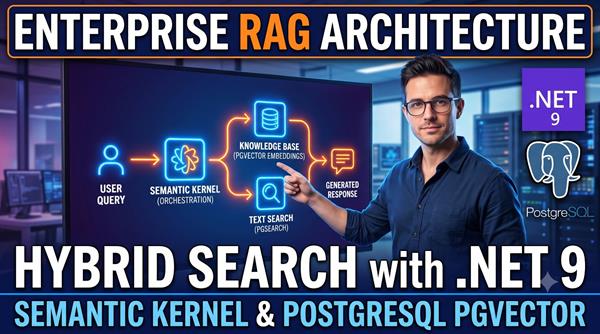
Enterprise RAG Architecture in .NET 9: Hybrid Search with Semantic Kernel and PostgreSQL pgvector
 Tutorial
Nvidia Acquires Hugging Face for $12.93 Billion: What the Deal Means for the Future of Open AI
 Tutorial
GPT-6 Astra Launched: Everything You Need to Know About OpenAI’s New AI Model
 Tutorial
How to Integrate OpenAI Models via OpenRouter in C# Using the Microsoft Agent Framework
Comments

|
|
| Follow up comments |
| {{e.Name}} {{e.Comments}} |
{{e.days}} | |
|
|
||
|
|
||
| {{r.Name}} {{r.Comments}} |
{{r.days}} | |
|
|
||